Product update
What's new in Podspun, November 2026
Since October 2 we added LinkedIn, Beehiiv and news websites as channels, a way to move a WordPress site into Podspun, and Podspun listings in Claude's connector directory and ChatGPT's Plugins. Your account also has new places to make things from your channels: Make anything, Decks & Proposals and the Social Maker.
Your channels, woven into new experiences.This is what we added to Podspun in October.
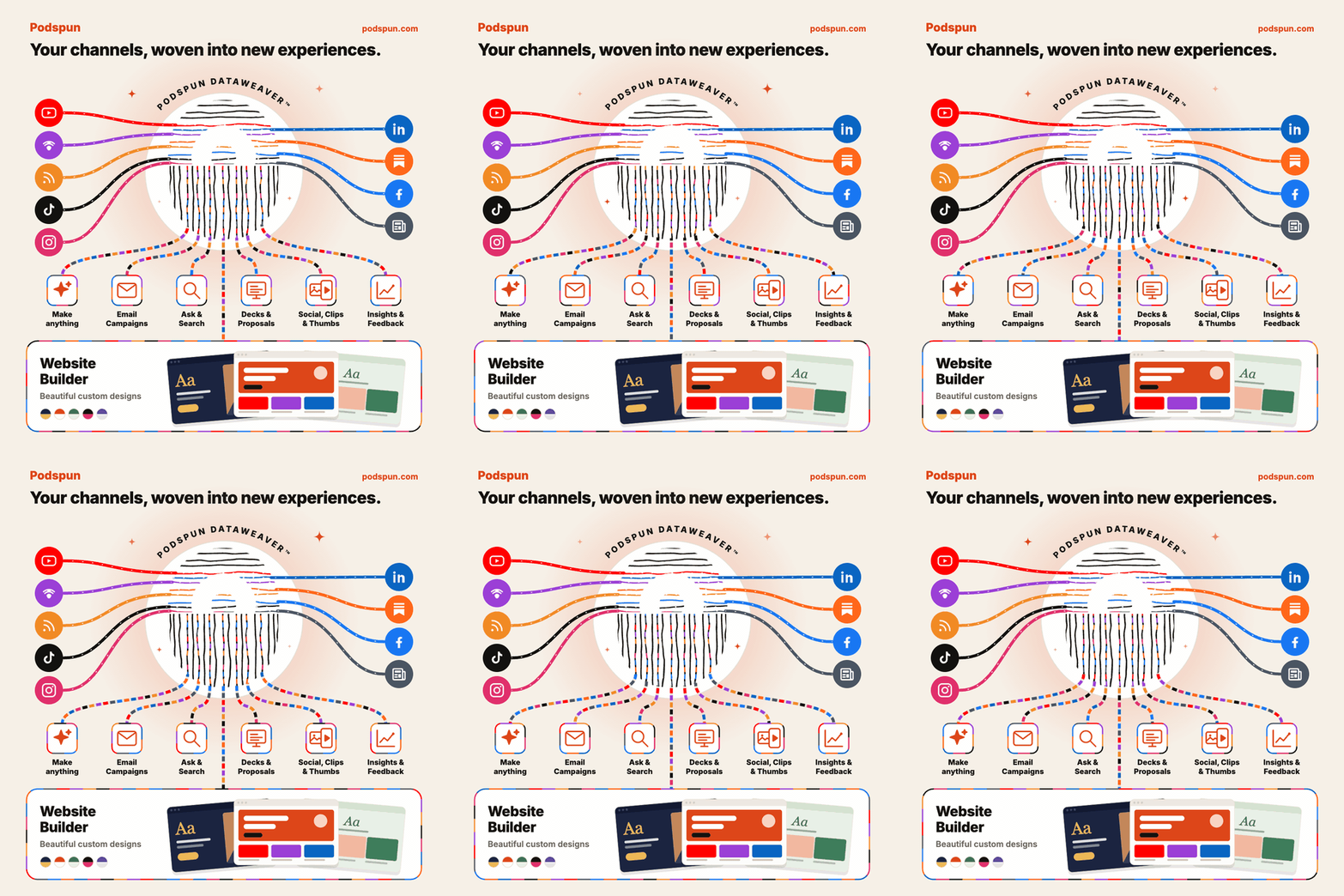
Dataweaver
LinkedIn, Beehiiv and news websites are now channels
The Dataweaver is where you connect the places you publish. Add channel now takes a LinkedIn profile or company page, a Beehiiv newsletter, and a news website or its RSS feed, next to podcast feeds, YouTube, Instagram, TikTok and Substack. Auto-detect, the first choice in Add channel, works out which platform an address belongs to.
A public LinkedIn profile or company page needs no LinkedIn login. Podspun imports up to 2,000 of the newest posts, transcribes the videos and reads new posts each day. A Beehiiv newsletter is read without turning on its RSS feed, and its issues can appear in your site's News as cards that open on Beehiiv.
A News Feed channel follows an outside publication and is checked every hour. Each website chooses how many link cards, combined stories and daily roundups it publishes from those feeds. News Feed channels are not billed.
- LinkedIn profiles and company pages
- Beehiiv newsletters, with no RSS feed needed
- News websites and RSS feeds, checked hourly
- Auto-detect finds the platform for you

Website Builder
Move a WordPress site to Podspun
Choose Add New Site, then Move a WordPress site, and upload the export file from your WordPress dashboard (Tools, then Export). Podspun reads your pages and posts from the file and brings your pictures across from the live site.
You choose what comes across. Each page shows where visitors find it today and its new address, and you can preview a page before you decide. The new menu copies the one your WordPress site shows, in the same order and with the same dropdowns.
Forms are rebuilt in the Podspun form builder and put back on their pages. Messages go to Form Submissions, the people who wrote to you go to Contacts, and products go to your Store as hidden drafts. Old addresses keep working after the site is built.
- Pick the pages and posts that come across
- Your menu, with its dropdowns
- Forms, messages, contacts and products
- Old addresses keep working

AI Editing
Edit your website from Claude or ChatGPT
Podspun is listed in Claude's connector directory and in ChatGPT's Plugins. Select Connect in Claude or Install plugin in ChatGPT, then sign in to Podspun Cloud and select Allow, with no token to copy. Then ask in plain words for a new page, a rewritten section, a menu change or a news post.
The connection covers the websites in your account that you can edit, with the same access you have. Changes go live as the AI app makes them, so ask for a draft when you want to review a page first. Payments and changes to your password or sign-in email stay with you in Podspun Cloud.
Codex, Cursor, Perplexity and other AI apps connect with an AI Editing token or by signing in. Tokens are free, and the same token works as your Data API key.
- Listed in Claude's connector directory and ChatGPT's Plugins
- Codex and Perplexity connect with a token
- Changes go live, or ask for a draft
- Free tokens that also work with the Data API

Make anything
One box for articles, pages, decks and social posts
Make anything sits under Outputs in your account sidebar. Type what you want, for example an article about a subject your show covers, and it makes a first draft and opens it. The example requests under the box are written from your own account.
An article or a page is saved as a private draft on your website and opens in the page editor. A deck opens in Decks & Proposals, and a social post opens in the Social Maker. Nothing is published until you publish it.
- Articles and pages saved as private drafts
- Decks and social posts from the same box
- Example requests written from your account

Decks & Proposals
Presentations made from your website
Decks & Proposals makes a Client Proposal, a Capabilities Presentation, a Partnership / Media Kit or a Case Study from the content in your account. Say what the presentation is for, or pick one of the ideas written from your website, and select Make presentation.
Edit it slide by slide, or ask for a change on a slide and review the suggestion before you save it. Settings holds one brand name, logo, set of colors, pair of fonts and contact details for all your presentations. Open the PDF, or email or share a reviewed version.
- Four kinds of presentation
- Built from your own pages and pictures
- Your brand, logo and fonts in Settings
- PDF, email or a shared link

Social, Clips & Thumbs
The Social Maker writes posts and carousels from your shows
Social, Clips & Thumbs now has its own place in the account sidebar, and the Social Maker is new in it. Start from a theme your show keeps coming back to, from one episode or post, or from a topic you type.
Pick a design (Photo headline, Bold quote, Editorial, Color band, Minimal card or Accent sidebar) and a shape: Square, Portrait, Story or Landscape. It makes a single post or a carousel in your theme, with a caption written in your channel's voice.
- Theme guides from the topics your shows cover
- Six designs and four shapes
- Single posts or carousels
- Captions in your channel's voice

Contact Forms
Forms with pages, file uploads and routing by answer
A form can now ask thirteen kinds of question. File Upload is one of them, and lets people send pictures or documents with their message. A question can show only after a certain answer, and messages can go to different people depending on an answer.
Forms can have pages with paths between them, and each form has its own link and a Preview. Copy from Tally brings over a Tally form with its pages, questions and paths. Responses are in Form Submissions.
- File Upload questions
- Questions that show after a certain answer
- Send To that depends on an answer
- Copy from Tally

Insights & Feedback
Analytics, the Insights Chatbot and a Monday email
Insights & Feedback in the account sidebar holds Analytics, the Insights Chatbot, Narrative Shape and Form Submissions. Analytics opens on a Dashboard with visitors per day and a card each for Websites, Social and Email Campaigns. With more than one social account, the Social card adds them together.
The Insights Chatbot answers questions about your account from its own numbers, such as how your websites did last month or what visitors search for that you have not covered. It only reads, and it never changes a setting or a website.
Each Monday morning the owner of a live website gets a summary of the week before: page views, visits, signups and contact forms next to the week before, the most viewed pages, and what visitors searched for. Anyone else on the account can turn it on.
- One Dashboard for websites, social and email
- Questions answered from your own numbers
- A weekly summary by email

Episode Pages
Guests, your own edits and transcripts without inserted ads
Episode pages can list the guests in each episode, with a sentence about who they are and links to their profiles. Podspun finds them in the title, show notes and transcript, and holds back anything it is not sure of for you to check. Turn it on in Site Settings, Podcasts/Episodes, Episode Page Setup.
Episode Overrides lets you rewrite what Podspun wrote for an episode page: the Brief Summary, key points, highlights, quotes and topics. Your version stays when Podspun reads the episode again. The Brief Summary is also the line search engines show under the page.
Ads that your podcast host inserts into each download are left out of transcripts and Ask & Search, and the player marks the ads each listener hears. Previous Episode and Next Episode links sit under the player.
- Guests found from your show notes
- Your own summaries, quotes and topics
- Inserted ads left out of transcripts
- Previous and Next Episode links
Also new
The image editor can rotate, flip, straighten and tilt a picture. Tilt squares up a painting that was photographed from below, from above or from one side.
Quizzes / Games has an Evergreen Quiz. You write the questions and results, each answer adds a point to a result, and people see the result with the most points.
The Expandable Text block lists titles that open to show their text. The text stays in the page while it is closed, so search engines can read it.
Films are in your website's own menu, under Pages & Content, Films, and a film's screenings are calendar events.
Your welcome email is designed in the same email builder that campaigns use, with headings, text, pictures, buttons, boxes and columns.
Key takeaways
- LinkedIn, Beehiiv and News Feed are new channel types in the Dataweaver, and Auto-detect finds the platform from an address.
- Add New Site can move a WordPress site from its export file, with its menu, forms, messages, contacts and products.
- Podspun is in Claude's connector directory and ChatGPT's Plugins, and Codex and Perplexity connect with a free token or by signing in.
- Make anything, Decks & Proposals and the Social Maker make drafts, presentations and social posts from your own content.
- Contact forms have File Upload, questions that show after an answer, and routing by answer.
- Analytics has a Dashboard and a Monday summary email, and episode pages can list guests and take your own edits.